
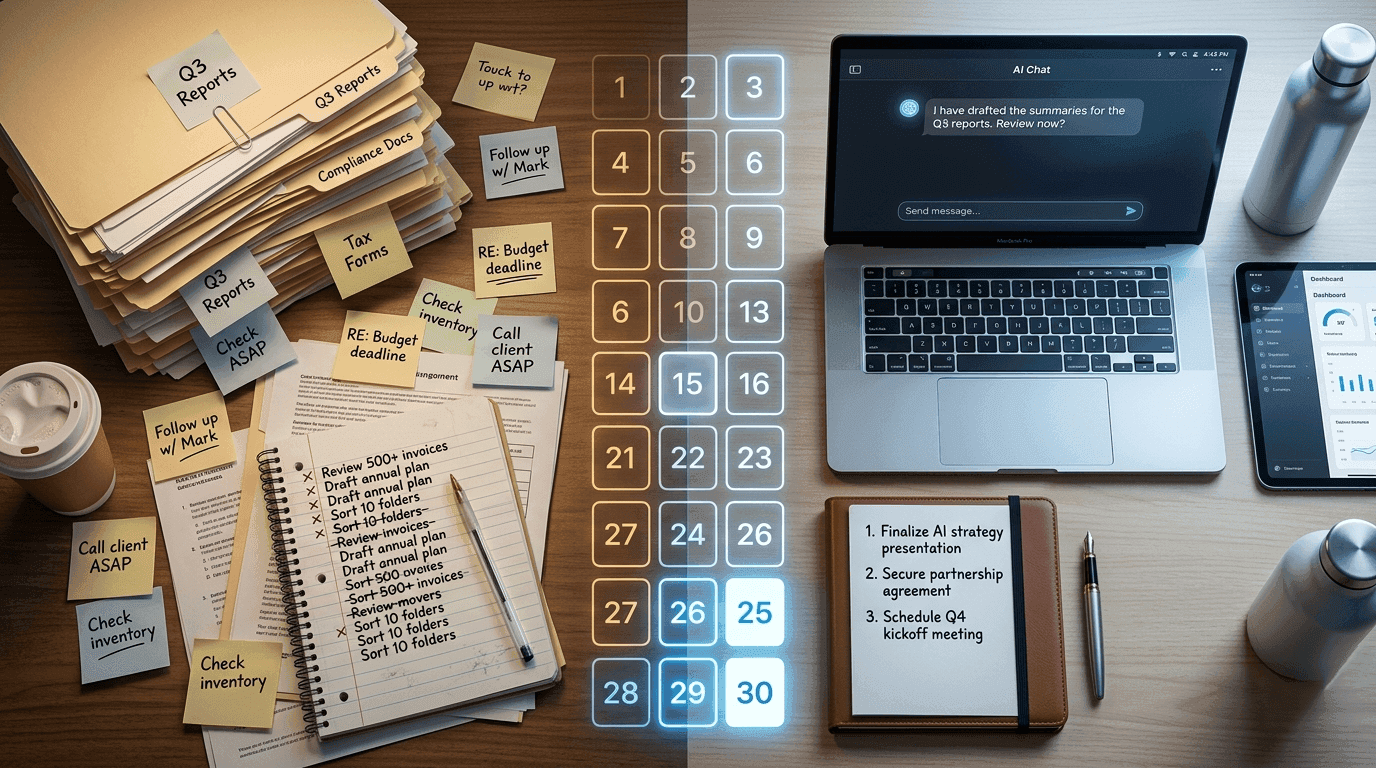
You are spending hours every week on work that a well-prompted AI could complete in minutes. Not someday. Right now. Today.
The problem is not awareness. Almost everyone knows AI tools exist. The problem is that nobody hands you a realistic, step-by-step plan for actually weaving them into the work you already do, without blowing up your processes, confusing your team, or spending an entire month testing tools instead of shipping results.
That is exactly what this post is.
This is not a hype piece about the future of work. It is a practical, honest, week-by-week guide for professionals, freelancers, and small teams who want to transition from fully manual workflows to AI-assisted ones in 30 days without losing momentum, quality, or their minds.
Let us get into it.
Why Most AI Workflow Transitions Fail Before Day 10
Before we get to the plan, it is worth understanding why so many people try to adopt AI tools and quietly abandon them within two weeks.
The failure is almost never about the technology. It is about the approach.
Most people make one of three mistakes when trying to transition to AI-assisted work.
Mistake 1: Trying to Automate Everything at Once
The ambition to transform your entire workflow overnight is understandable, but it is the fastest path to overwhelm. When you try to introduce AI into every corner of your work simultaneously, nothing gets implemented properly, nothing gets tested, and you end up with a confusing half-automated mess that is harder to manage than the original manual system.
Mistake 2: Choosing Tools Before Defining Problems
Many professionals start by researching AI tools, watching product demos, and signing up for free trials. But if you do not begin with a clear picture of which specific tasks in your workflow are draining the most time and producing the most friction, you will adopt tools that solve problems you do not actually have.
Mistake 3: No Feedback Loop or Success Metrics
Without defining what success looks like before you start, you have no way to evaluate whether the transition is working. Transitions that lack measurement almost always stall because there is no visible progress to motivate continued effort.
The 30-day plan below is specifically designed to avoid all three of these failure modes.
Before You Begin: The 30-Minute Audit That Changes Everything
Do not start Day 1 until you have completed this exercise.
Sit down with a blank document or a sheet of paper and write out every repeating task you perform in a typical work week. Be specific. Do not write "write content." Write "write first drafts of weekly blog posts," "respond to client intake emails," "create social media captions for published articles."
Now mark each task with one of three labels:
High Volume, Low Creativity means it takes significant time but does not require your unique judgment, relationships, or expertise. These are your prime AI candidates.
High Stakes, High Judgment means these tasks carry significant consequences and require expertise, context, and human accountability. These stay manual, at least for now.
Middle Ground means tasks that require some creativity or judgment but follow repeatable patterns. These are your secondary AI opportunities.
By the time you finish this audit, you will have a ranked list of where AI can make the biggest impact in your specific workflow. That list becomes your 30-day roadmap.
Week 1 (Days 1 to 7): Observe, Select, and Learn Without Implementing
The most counterintuitive advice in this entire guide is this: do not change anything in Week 1.
Week 1 is entirely about observation, selection, and focused learning. Here is what you do each day.
Days 1 and 2: Complete Your Workflow Audit
Use the audit framework described above. Take your time. The more specific and honest your task inventory is, the better your results will be over the next 30 days.
By the end of Day 2, you should have identified your top three High Volume, Low Creativity tasks. These are your Week 2 targets.
Days 3 and 4: Research and Select Your Primary Tool
Based on your top three target tasks, research which AI tool is best suited to those specific use cases. Resist the urge to sign up for five different platforms. Choose one primary tool that handles at least two of your three target tasks.
If your target tasks are primarily writing related, a general-purpose AI assistant will serve you well. If your tasks involve data analysis or spreadsheet work, look for tools with structured data capabilities. If your tasks are project management or client communication related, look for AI features within the tools you already use.
The goal is minimum new software, maximum impact.
Days 5, 6, and 7: Learn Before You Use
Spend these three days actually learning your chosen tool, not just using it. Watch tutorials. Read documentation. Understand how prompting works, what the tool does well, and critically, what it does poorly.
Most people skip this step and pay for it later. Three days of focused learning will save you weeks of confused trial and error.
Week 1 Success Marker: By Day 7, you should be able to articulate exactly which three tasks you are targeting, which tool you are using, and why. That clarity is your foundation.
Week 2 (Days 8 to 14): First Implementation on Low-Stakes Tasks
Week 2 is where the real transition begins, but you are starting small and deliberate.
Days 8 and 9: Build Your First Prompt Library
Before you start using AI on actual work tasks, invest two days in prompt engineering for your specific use cases.
A prompt library is simply a collection of tested, reliable prompts that consistently produce useful output for your most common tasks. For a content writer, it might include prompts for drafting outlines, writing introductions, or generating headline options. For a customer service manager, it might include prompts for responding to common complaint types.
Write five to ten prompts for your top target task. Test each one. Refine the ones that almost work. Delete the ones that consistently miss the mark. Save your winners in a document you will actually use.
This prompt library is one of the most valuable things you will build in this entire 30 days.
Days 10 to 12: Run AI Alongside Your Manual Process
This is a critical technique that most guides skip entirely. For your first three days of actual AI implementation, do not replace your manual process. Run both in parallel.
Complete the task manually the way you always have. Then use AI to complete the same task separately. Compare the two outputs.
This parallel approach gives you three things you cannot get any other way. You get a direct quality comparison. You discover the gaps where AI needs your editing or judgment. And you build the muscle of knowing how to use the tool effectively before your output depends on it.
Days 13 and 14: Evaluate and Adjust
Look at your parallel outputs from Days 10 to 12. Identify three things:
Where did the AI save you significant time without sacrificing quality? That is your sweet spot and where you will shift fully to AI assistance.
Where did the AI produce output that needed heavy editing? That is a workflow where AI helps with a first draft but human refinement is essential.
Where did the AI completely miss the mark? Those are tasks to remove from your AI transition plan for now.
Week 2 Success Marker: By Day 14, you should have at least one task where you are confidently using AI assistance as part of your real workflow, not just as an experiment.
Week 3 (Days 15 to 21): Scale What Works, Add a Second Use Case
Week 3 is where your transition starts to generate real, compounding time savings.
Days 15 and 16: Systematize Your Best-Performing Use Case
Take the task that produced the best results in Week 2 and systematize it completely. Document your process, your best prompts, your editing checklist, and your quality standards. Create a simple repeatable workflow that you could hand to a colleague or return to after a vacation without losing any efficiency.
Systematizing is what separates a temporary experiment from a permanent, productive workflow change.
Days 17 to 19: Add Your Second Target Task
Now apply everything you learned in Week 2 to your second high-priority target task. You will move through this cycle much faster the second time because you already understand how to build prompts, run parallel comparisons, and evaluate output quality.
By Day 19, you should have two AI-assisted workflows running in your regular workday.
Days 20 and 21: Measure Time Savings and Quality Benchmarks
This is your mid-point measurement checkpoint. Calculate the actual time you are saving per week across your two implemented workflows. Be honest and specific. Compare the quality of AI-assisted output to your previous manual output.
If you are saving time without sacrificing quality, you have proof of concept. If quality has dipped, this is the moment to adjust your process, not abandon it.
Week 3 Success Marker: Two documented, systematized AI-assisted workflows are running consistently, and you have measured real time savings.
Week 4 (Days 22 to 30): Consolidate, Expand, and Future-Proof
The final week is not about adding more. It is about consolidating what works, making smart decisions about what to add next, and building a sustainable system that will keep improving after Day 30.
Days 22 and 23: Add Your Third Use Case (If Ready)
By now you have enough experience with AI-assisted workflows to add your third target task with confidence. If you feel solid on your first two workflows, add the third using the same parallel testing approach from Week 2.
If your first two workflows still need refinement, spend Days 22 and 23 improving them rather than adding complexity. There is no prize for speed. There is only a prize for building something that actually sticks.
Days 24 and 25: Audit Your Tool Stack
Now that you have real experience with your primary AI tool, ask yourself honestly whether it is the right long-term fit. Is there a feature you need that it does not offer? Is the pricing sustainable for your usage level? Are there integrations with your existing tools that would save you additional steps?
This is also the time to evaluate whether any AI features built into tools you already use, such as your email platform, project management software, or CRM, could replace or supplement your standalone AI tool. Fewer tools, properly integrated, almost always outperform a sprawling set of disconnected apps.
Days 26 and 27: Document Your New Standard Operating Procedures
Write up your new AI-assisted workflow processes as simple, clear standard operating procedures. Include your prompt libraries, your quality checklists, and your guidelines for what AI handles versus what requires human judgment.
This documentation serves two purposes. It makes your own workflow more consistent and reliable. And it makes your AI processes transferable to team members, clients, or collaborators.
Days 28 to 30: Review, Plan, and Set 60-Day Goals
In your final three days, conduct a full review of everything you have built.
Calculate your total weekly time savings across all implemented workflows. Assess quality against your original benchmarks. Identify which manual tasks are still strong candidates for future AI assistance.
Then write a clear 60-day plan for what you will tackle next. The most successful AI workflow adopters treat this not as a one-time project but as a continuous improvement practice. Every 30 days, you find new opportunities to reduce manual friction, improve quality, or reclaim time.
Week 4 Success Marker: You have three documented AI-assisted workflows, measured time savings, a clean tool stack, and a written 60-day plan. That is a full transition, not just a dabble.
The Tasks AI Does Exceptionally Well (And the Ones It Does Not)
After 30 days of intentional practice, most professionals discover that AI tools excel at a predictable set of tasks and struggle with another predictable set. Understanding this distinction before you start will save you significant frustration.
Where AI-Assisted Workflows Genuinely Shine
First draft generation is where AI delivers its most immediate and obvious value. Whether you are writing emails, proposals, blog posts, social media content, or internal reports, AI can produce a structured, readable first draft in seconds. Your job becomes editing and refining rather than staring at a blank page.
Research summarization saves enormous time when you need to process large volumes of information quickly. AI tools can summarize articles, reports, meeting transcripts, and documents in a fraction of the time it would take to read them manually.
Repetitive communication templates are a natural fit. If you send similar emails, proposals, or responses regularly, AI can generate high-quality starting points that you personalize in minutes.
Brainstorming and ideation benefit from AI because the model generates volume without fatigue. Need 20 headline variations? 15 product name ideas? Ten angles for a blog post? AI does this instantly, and even imperfect suggestions often spark better ideas.
Data structuring and formatting is another consistent strength. Turning unstructured notes into organized bullet points, converting raw data into readable summaries, and reformatting content for different platforms are all tasks where AI adds reliable value.
Where You Should Keep the Human in Charge
High-stakes relationship communication should stay human. Emails to key clients, difficult conversations, sensitive negotiations, and communications that carry your personal or professional reputation are not places to delegate to AI without extremely careful review.
Strategic decision-making requires context, values, organizational knowledge, and accountability that no current AI tool possesses. AI can inform your decisions with research and analysis, but the decision itself remains yours.
Creative work with a strong personal voice is an area where AI assistance can dilute rather than amplify your distinctiveness. Use AI for structure and drafts, but protect and inject your specific perspective, style, and expertise heavily throughout.
Anything legally, medically, or financially consequential should go through qualified human professionals. AI can help you prepare for those conversations, but it cannot replace the professionals who carry accountability for the advice.
Building a Culture of AI Assistance on Your Team
If you manage a team, the 30-day transition plan applies to you individually, but the cultural dimension matters just as much as the practical one.
The teams that adopt AI-assisted workflows most successfully are the ones where leadership is transparent about the goals, honest about the limitations, and patient with the learning curve. People who feel forced to adopt AI tools without understanding why or how to use them safely will resist, resent, or quietly ignore them.
Run your own 30-day transition first. Then share what worked and what did not with your team from a position of genuine, tested experience rather than abstract enthusiasm. That credibility is what earns buy-in.
Create shared prompt libraries that grow as a team resource. Hold brief monthly reviews where team members share what they have learned about using AI tools effectively in your specific context. And establish clear guidelines about where AI assistance is encouraged, where it requires human review, and where it is not appropriate.
AI-assisted workflows are not a threat to good teams. They are an amplifier for them.
Common Questions After 30 Days
Will my output quality suffer?
In the first two weeks, possibly. As you learn to prompt effectively and develop your editing eye for AI output, quality stabilizes. Most professionals report that by Week 3, their AI-assisted output matches or exceeds their previous manual output in quality, at a fraction of the time.
How much time will I actually save?
This varies significantly by role and workflow type. Content-heavy roles often report 30 to 50 percent reductions in time spent on first-draft writing. Administrative and communication-heavy roles often see similar gains in repetitive task categories. The key variable is how disciplined you are about targeting the right tasks.
What if my industry has concerns about AI use?
This is a legitimate and important question that goes beyond the scope of a workflow guide. Legal, medical, financial, and regulated industries all have specific considerations around AI use, data privacy, and professional accountability. Research the standards in your specific field before implementing AI-assisted workflows in client-facing or regulated contexts.
Do I need expensive enterprise AI tools?
For most individual professionals and small teams, the answer is no. The most powerful general-purpose AI tools offer free or affordable plans that are more than sufficient for the workflow transitions described in this guide. Start with what is accessible and upgrade only when you have specific, identified needs that a premium plan would address.
Your 30-Day Transition at a Glance
Week 1 (Days 1 to 7): Complete your workflow audit. Identify your top three target tasks. Select your primary AI tool. Learn it before you use it.
Week 2 (Days 8 to 14): Build your prompt library. Run AI parallel to your manual process on your first target task. Evaluate the results and adjust.
Week 3 (Days 15 to 21): Systematize your first AI workflow. Add your second target task. Measure your real time savings at the midpoint.
Week 4 (Days 22 to 30): Add your third use case if ready. Audit and simplify your tool stack. Document your new standard operating procedures. Write your 60-day plan.
The Real Promise of an AI-Assisted Workflow
Here is what nobody tells you clearly enough.
The goal of transitioning to AI-assisted workflows is not to work less. It is to redirect your best cognitive energy toward work that only you can do.
Every hour you reclaim from repetitive, pattern-based tasks is an hour you can invest in deeper thinking, better client relationships, bolder creative work, and the strategic decisions that actually move your career or business forward.
The professionals who will thrive in the next decade are not the ones who resist these tools or the ones who outsource all their thinking to them. They are the ones who learn to use AI as a skilled collaborator, knowing exactly when to lean on it, when to override it, and when to put it away entirely.
Thirty days from now, you can be that professional.
Start your audit today.
Found this guide useful? Share it with a colleague who is trying to figure out where AI actually fits in their work.