
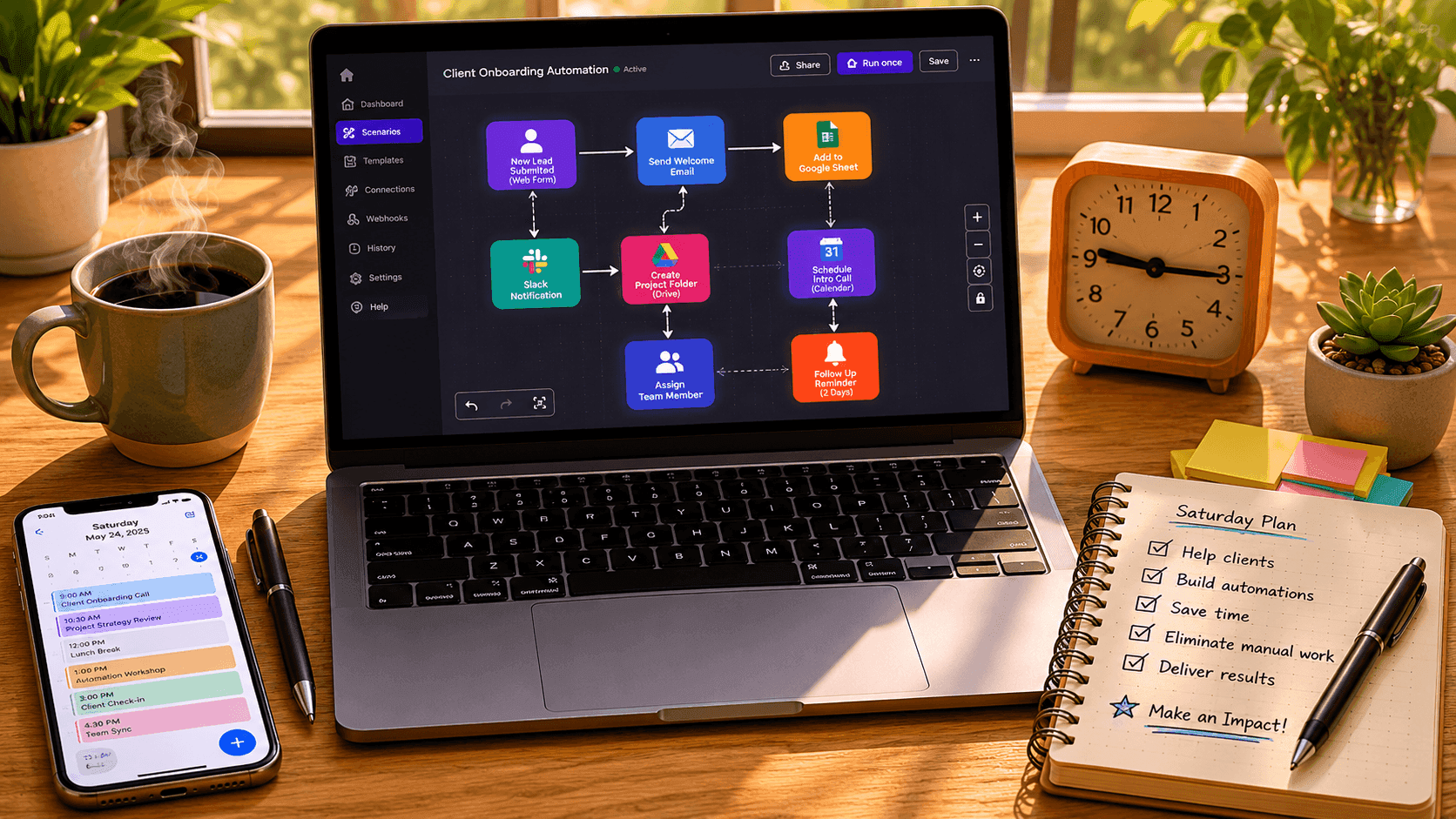
This weekend, while your competitors are watching television, you could permanently eliminate eight to ten hours of repetitive weekly work from your life.
Not with expensive software. Not with a developer. Not with a single dollar spent.
The automation tools available for free in 2026 are more powerful than the paid enterprise automation platforms of five years ago. Most small business owners are not using them, not because they do not want to, but because nobody has handed them a clear, realistic, step-by-step weekend plan that works for real businesses with real constraints.
This is that plan.
By Sunday evening, if you follow this guide, you will have automated your client inquiry responses, your appointment scheduling, your social media scheduling, your invoice follow-ups, and at least two of the most time-consuming internal workflows that currently eat your week alive. You will have done it using tools that cost nothing and require zero coding knowledge.
Clear your Saturday morning. Let us build something that pays you back every single week for the rest of your business life.
Before the Weekend: The 20-Minute Audit You Cannot Skip
Do not open a single tool until you have completed this step. It takes twenty minutes and determines whether your weekend produces lasting results or temporary experiments.
Sit with a blank document and list every task you perform repeatedly in your business. Be ruthlessly specific. "Admin work" is not a task. "Manually copying new contact form submissions into my Google Sheet CRM" is a task. "Sending a welcome email to every new client after they pay" is a task. "Reminding clients about unpaid invoices at the three-day, seven-day, and fourteen-day mark" is a task.
Work through your last two weeks mentally and write down every repeating action that consumed your time.
Now mark each task with one of three labels.
Automate This Weekend means the task is repetitive, follows a predictable pattern, does not require your unique judgment or personal relationship, and happens frequently enough that automating it will deliver noticeable time savings within a month.
Automate Later means the task is repeating but involves enough complexity, customization, or stakes that you want more automation experience before tackling it.
Keep Human means the task genuinely requires your personal touch, your expertise, your relationships, or your accountability and should not be delegated to any automated system.
Most business owners doing this exercise for the first time discover that thirty to forty percent of their weekly tasks fall into the Automate This Weekend category. Those tasks are your target list.
For the weekend plan below, choose your top five targets from that list. Five is the right number. More than five spreads your focus too thin and risks producing five half-built automations instead of five fully working ones.
The Free Tool Stack You Will Use
Before Saturday arrives, create free accounts on the following platforms. Setup takes about fifteen minutes total and none of them require a credit card for the free tier.
For workflow automation and app connection: Make (formerly Integromat) offers 1,000 free operations per month across unlimited automated scenarios. Zapier offers a free tier with limited but usable monthly tasks. For most small businesses at the starting stage, either one handles your initial weekend builds comfortably. Make's free tier is more generous, so it is the primary recommendation throughout this guide.
For scheduling automation: Calendly's free tier allows one event type with unlimited bookings, automated confirmation emails, and calendar integration. This single tool eliminates more back-and-forth scheduling communication than almost any other automation on this list.
For email marketing and follow-up automation: Mailchimp's free tier supports up to 500 contacts and 1,000 emails per month with automated sequences. For businesses with a small list that is still growing, this is more than sufficient for the automations you will build this weekend.
For form creation and data capture: Google Forms is completely free, integrates natively with Google Sheets, and is the foundation of several automations on this list. Typeform's free tier allows one active form with up to ten questions and handles more complex intake scenarios.
For task and project management with automation triggers: Trello's free tier and Notion's free personal tier both support enough workflow structure to serve as automation hubs for small teams.
For social media scheduling: Buffer's free tier allows three connected social accounts and ten scheduled posts per account. For businesses that need to schedule content in advance without paying for a dedicated social tool, this handles the core need.
For document creation and delivery: Google Workspace's free consumer tier, including Docs, Sheets, Drive, and Gmail, provides the document infrastructure that several automations in this guide depend on.
All of these tools have apps within Make's integration library, which means connecting them requires no code at all.
Saturday: Building Your Client-Facing Automations
Saturday is dedicated to the automations that directly affect your clients and customers. These produce the most visible and immediate impact because they improve the experience of every person who interacts with your business from this weekend forward.
Morning Session (9:00 AM to 12:00 PM): The Automated Inquiry Response System
The problem this solves: Every time a potential client fills out your contact form, someone on your team or you personally has to manually send an acknowledgment email, often hours after the submission. That delay communicates disorganization and loses warm leads to competitors who respond faster.
The automation: A Make scenario that monitors your Google Form for new submissions and instantly sends a personalized acknowledgment email from your Gmail account.
How to build it:
Open Make and create a new Scenario. Add a Google Forms module and connect it to your business inquiry form. Set the trigger to "Watch Responses," which means the scenario activates every time someone submits the form.
Add a Gmail module and set it to "Send an Email." In the "To" field, map the email address field from your form response. In the subject line, write something like "We Received Your Inquiry, [First Name]" and use Make's variable mapping to pull the first name from the form submission. In the body, write your acknowledgment message and close with a specific next step, such as a link to your Calendly booking page or an instruction to expect a response within a specific time frame.
Activate the scenario. From this moment forward, every inquiry receives an immediate, personalized response without any manual intervention.
Enhancement: Add a second action in the same scenario that creates a new row in a Google Sheet you use as a simple CRM, automatically logging the prospect's name, email, inquiry date, and the content of their message. You now have a searchable, organized record of every inquiry without ever manually entering data.
Time to build: Approximately 45 minutes including testing.
Time saved per week: One to two hours depending on your current inquiry volume.
Mid-Morning to Lunch (12:00 PM to 1:30 PM): The Automated Scheduling System
The problem this solves: Scheduling calls, consultations, or appointments through back-and-forth email chains is one of the most universally hated small business time drains. The average email scheduling exchange takes four to seven messages and twenty to forty minutes of calendar management per appointment.
The automation: Calendly eliminates this entirely by giving every client a self-service booking page that shows your real availability, allows them to choose a time that works for both of you, and sends automatic confirmation and reminder emails to all parties.
How to build it:
In Calendly, create your event type. Name it clearly based on the purpose, such as "Free 30-Minute Consultation" or "Client Strategy Call." Set the duration, add your availability windows, and connect it to your Google Calendar or Outlook Calendar so Calendly reads your real-time availability and never double-books you.
Turn on the automated email confirmation and customize the message. Add a reminder email at 24 hours before the appointment and another at one hour before. Write the reminder messages once and they send automatically to every client who books forever.
Add your Calendly booking link to your website, your email signature, and your inquiry response email from the previous automation. The scheduling loop is now closed entirely.
Enhancement: In Make, build a second scenario that triggers when a new Calendly booking is created and automatically creates a preparation checklist in Trello or Notion, adds the meeting to a master tracker in Google Sheets, and sends you an internal notification with the client's booking details in a formatted summary. You walk into every call with a preparation task already waiting.
Time to build: Approximately 45 minutes including Calendly setup and Make scenario build.
Time saved per week: Two to four hours of scheduling back-and-forth and calendar management.
Afternoon Session (2:30 PM to 5:30 PM): The Automated Client Onboarding Sequence
The problem this solves: After a new client signs up or makes a purchase, most small businesses have a chaotic, inconsistent onboarding experience because the welcome sequence depends on whoever is available to handle it that day. Important steps get skipped. New clients feel uncertain about what happens next. First impressions that should build confidence instead create confusion.
The automation: A Mailchimp automation sequence that delivers a structured, professional onboarding experience to every new client automatically, starting the moment they are added to your list.
How to build it:
In Mailchimp, create a new audience tag called "New Client" or "Active Client." Create a new Customer Journey automation triggered by the addition of this tag to a contact.
Build a sequence of three to five emails that deliver exactly the information every new client needs in exactly the right order.
Email 1, sent immediately after tagging: Welcome the client warmly, confirm what they have signed up for, tell them exactly what to expect in the coming days, and give them one specific action to complete, such as filling out an onboarding questionnaire or accessing a welcome document.
Email 2, sent on Day 2: Deliver practical getting-started content. This might be a guide to working with you effectively, answers to the questions you answer repeatedly in every client relationship, or access credentials and resources they need.
Email 3, sent on Day 4: A personal-sounding check-in that asks how they are finding things so far and provides a direct way to ask any questions they have not asked yet.
Email 4, sent on Day 7: A week-in milestone acknowledgment that reinforces the value they have already received and previews what is coming in the next phase of their engagement with you.
Write these emails once. Every new client who receives the tag receives the same high-quality experience, delivered on schedule, without any manual effort from your team.
Enhancement: In Make, build a scenario that automatically adds a contact to your Mailchimp "New Client" audience when a new row is created in your inquiry tracker Google Sheet with a status of "Converted." The moment you update a prospect's status to converted, their onboarding sequence begins automatically.
Time to build: Two to three hours including email writing.
Time saved per week: One to three hours of manual client communication.
Sunday: Building Your Internal and Financial Automations
Sunday is dedicated to the automations that reduce the invisible operational friction inside your business. These do not always feel as dramatic as the client-facing automations from Saturday, but they tend to deliver the most cumulative time savings over months and years.
Morning Session (9:00 AM to 12:00 PM): The Invoice Follow-Up System
The problem this solves: Chasing unpaid invoices is one of the most uncomfortable and time-consuming administrative tasks in small business life. Most business owners do it inconsistently because it feels awkward, which means late payments compound and cash flow suffers.
The automation: A structured, automated invoice reminder sequence that sends friendly, professional follow-up emails at pre-defined intervals without you having to think about or initiate any of them.
How to build it:
If you use a free invoicing tool like Wave, Invoice Ninja, or PayPal Invoicing, check whether the platform has a built-in automated reminder feature. Most of them do, and activating it requires only a few minutes of configuration. Set reminders at three days, seven days, and fourteen days after the due date with pre-written message templates at each stage. The tone should progress from gentle and friendly at Day 3 to clear and firm at Day 14.
If your invoicing tool does not support automated reminders, build the follow-up logic in Make using a Google Sheets row as your invoice tracker. Create a scenario that runs daily, checks each invoice row for the due date and current status, and sends the appropriate follow-up email based on how many days past due the invoice is. When you mark an invoice as paid by updating its status in the sheet, the scenario stops following up automatically.
Write your three email templates thoughtfully. The Day 3 reminder might simply say that you wanted to flag the invoice in case it got lost in the shuffle. The Day 7 reminder might confirm the payment details and offer to answer any questions. The Day 14 reminder should be clear about the amount, the due date, and the importance of resolution.
These messages, sent automatically and consistently, will improve your average payment time more than any other single action in your billing process.
Time to build: One to two hours.
Time saved per week: One to two hours of manual invoice tracking and follow-up.
Mid-Morning (12:00 PM to 1:30 PM): The Social Media Scheduling System
The problem this solves: Consistent social media presence requires either posting in real time throughout the week, which is a constant context-switching drain, or doing nothing for weeks at a time because batching was never set up as a practice.
The automation: A Buffer scheduling system that allows you to write and queue an entire week or month of social media content in a single focused session, with posts automatically publishing on schedule without any further action from you.
How to build it:
In Buffer, connect your three most important social accounts. Create a posting schedule that defines what days and times you want content to publish on each platform. Even a simple Monday, Wednesday, Friday schedule at two carefully chosen times per day gives you six weekly touchpoints across each connected platform.
Now create a simple Google Sheet as your content calendar. Columns for date, platform, post copy, and any image or asset reference. Use this sheet as your content staging area.
In Make, build a scenario that runs once daily, checks your content calendar Google Sheet for posts scheduled for that day, and adds them to your Buffer queue automatically. Every Sunday, you spend thirty to forty-five minutes writing the coming week's posts into your sheet. The automation handles the publishing from there.
This combination of batch writing and automated scheduling replaces daily social media management with a single weekly content session.
Time to build: One hour.
Time saved per week: Three to five hours of daily social media management.
Afternoon Session (2:30 PM to 5:30 PM): The Reporting and Data Collection Automation
The problem this solves: Most small business owners operate without a clear weekly picture of their key numbers because pulling that picture together requires manual data collection from multiple platforms, which happens inconsistently or not at all.
The automation: A weekly automated summary that pulls key metrics from your business systems and delivers them in a single readable email or document every Monday morning.
How to build it:
Start by defining the five to seven numbers that, if you looked at them every Monday morning, would give you the clearest picture of how your business is performing. Common candidates include new inquiries received, consultations booked, proposals sent, new clients added, invoices sent, invoices paid, and outstanding receivables.
Most of these numbers are already being tracked in the Google Sheets automations you built on Saturday. Inquiries are logged when your form response automation fires. Bookings are tracked when your Calendly scenario fires. Invoice statuses are maintained in your invoice tracker.
In Make, build a scenario that runs every Monday morning. It pulls the current values from the relevant cells in your Google Sheets trackers and sends a formatted summary email to yourself and any relevant team members. You wake up Monday morning with your weekly business pulse already in your inbox, assembled entirely without human effort.
For more visual reporting, Make can write this data into a master Google Sheet dashboard with pre-built formulas that calculate weekly trends, which you can check from your phone in thirty seconds.
Time to build: One to two hours.
Time saved per week: Thirty minutes to two hours of manual data gathering, plus the decision-making clarity that comes from actually seeing your numbers consistently.
Late Afternoon (5:00 PM to 6:00 PM): Final Testing and Documentation
The final hour of your automation weekend is not for building. It is for testing and documenting.
Test every automation end to end.
Submit a test inquiry through your form and confirm the acknowledgment email arrives, the Google Sheet row is created correctly, and the formatting looks professional. Book a test appointment through Calendly and confirm the confirmation email arrives with the right details. Trigger your onboarding sequence by tagging a test contact and follow the email sequence to confirm each message arrives on schedule and reads correctly. Create a test invoice row marked as past due and confirm the correct follow-up email is triggered.
Every scenario should be tested with real data before you rely on it for real client interactions.
Document each automation in a simple operations note.
For each scenario you built, write three sentences: what triggers it, what it does, and where to look if it breaks. This documentation takes ten minutes per scenario and is invaluable the first time something stops working and you need to troubleshoot it quickly.
Store these notes in a Google Doc titled "Business Automation Operations." This document is the beginning of your internal knowledge base, and it will grow in value every time you add a new automation or bring a team member on board who needs to understand how your systems work.
What Your Business Looks Like on Monday Morning
If you followed this plan through the weekend, here is what has changed by the time you sit down at your desk on Monday.
Every new inquiry that arrives today will receive an immediate, professional response without you touching your inbox. Every client who books a call will receive confirmation and reminders without you checking your calendar. Every new client who converts will begin a structured onboarding sequence without you composing a single welcome email. Every overdue invoice is being followed up with a consistent, professional message sequence without you feeling awkward about chasing money. Your social media content for the week is queued and publishing on schedule. Your key business metrics arrived in your inbox this morning without anyone pulling them together.
You did not hire anyone. You did not spend a dollar. You spent a weekend building systems that will compound in value every week for as long as your business operates.
Realistic Expectations: What These Automations Will and Will Not Do
Honesty here matters.
These automations will not run your business for you. They will not replace judgment, relationships, or strategy. Your best client relationships still depend on you showing up personally and delivering genuine value. Your growth strategy still depends on your thinking and your decisions. Your hardest problems still need your full human attention.
What these automations will do is remove the mechanical, predictable, pattern-based tasks that currently consume your week and replace them with consistent, professional systems that perform better than manual processes at a fraction of the time cost.
The free tiers described in this guide have limits. If your inquiry volume grows beyond what Mailchimp's free tier supports, you will eventually need a paid plan. If your automation complexity grows beyond Make's free operation limit, you will need to upgrade. These are good problems to have and the economics of upgrading remain extremely favorable relative to the time costs of staying manual.
The right way to think about the free tools in this guide is as genuine long-term solutions for lean operations and as proof-of-concept platforms that let you validate which automations deliver the most value before you invest in scaling them.
Your First 30 Days After the Weekend
The weekend builds the foundation. The thirty days that follow determine whether it becomes a permanent operating advantage or a set of scenarios you eventually forget you built.
Week One: Run your new automations in active observation mode. Watch for failures, quirks, or places where the output is not quite right. Refine as needed. Most scenarios need at least one adjustment after real-world testing.
Week Two: Identify the next highest-value automation on your list and build it using the same methodical approach from the weekend.
Week Three: Share your automations with any team members who interact with the systems they touch. Walk through how each one works, what its purpose is, and how to flag if something stops working correctly.
Week Four: Calculate your actual time savings. Be specific. Add up the hours per week that the automations have removed from your plate and multiply by four to see your monthly return. This calculation is typically the moment the value of the investment clicks into permanent place.
The Most Important Thing to Understand About Business Automation
Every hour you spend this weekend building these systems is an investment that pays compound returns for as long as your business operates. The welcome email you write once runs thousands of times. The invoice reminder you configure once sends itself on your behalf indefinitely. The scheduling automation you set up once books every future appointment without your involvement.
Manual processes pay you once for every hour you put in. Automated processes pay you every time they run, which is every day, often while you are asleep.
The businesses that will operate most effectively in the next decade are not the ones that work the hardest. They are the ones that work the smartest, and working smart increasingly means building systems that multiply your effort rather than just executing it once at a time.
You have a free weekend and free tools. You have everything you need.
Go build something that works for you while you rest.
Ready to start? Share this guide with a fellow business owner who is still doing everything manually.