
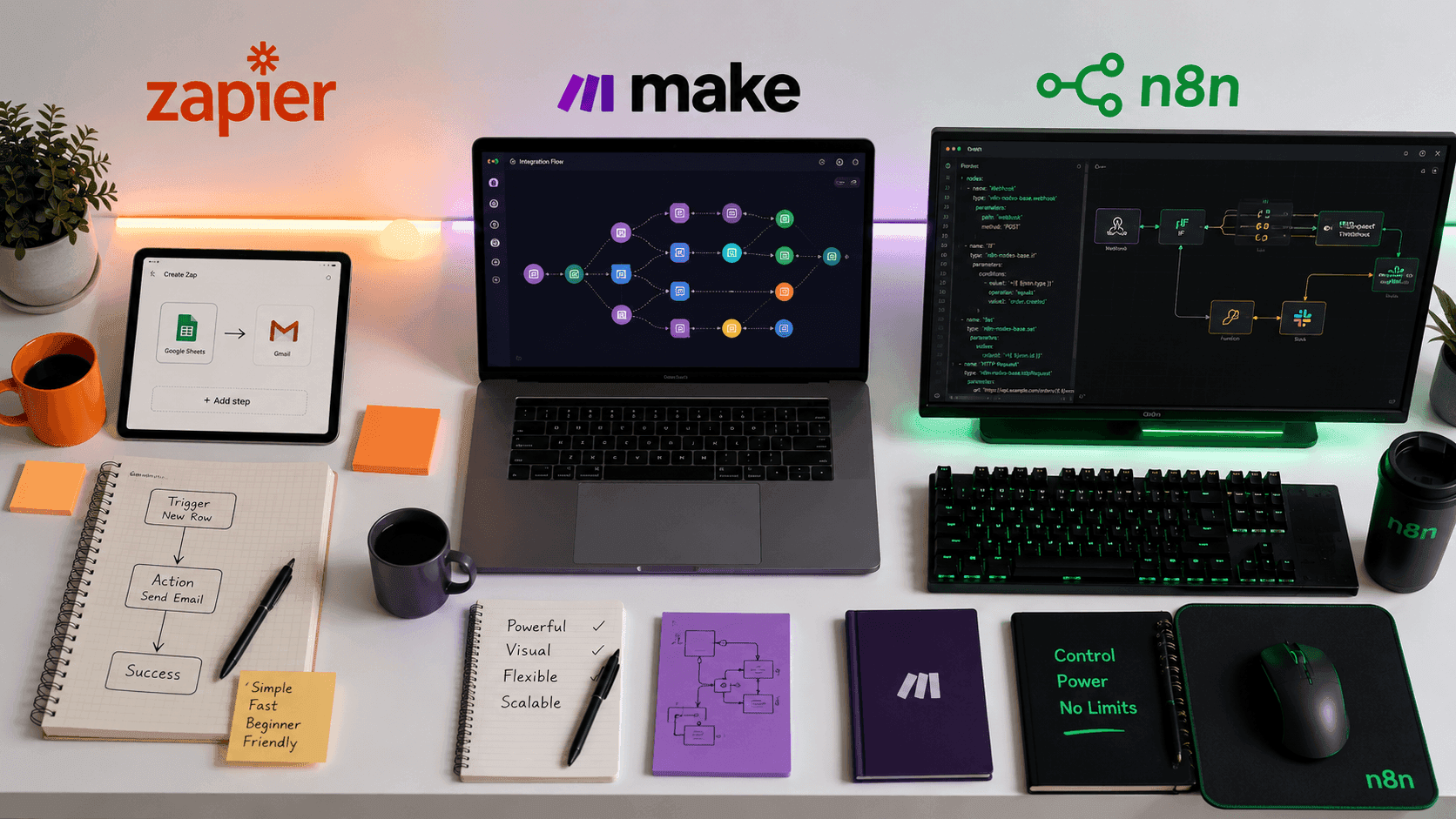
You are paying for a tool that is either doing too little, costing too much, or slowly driving your team into workflow chaos. And the worst part is, you are not even sure which one of the three giants is the culprit.
Zapier. Make. n8n.
Every automation article on the internet tells you they are all great. What almost none of them tell you is which one is actually right for your specific situation, your budget, your technical comfort level, and the kind of work you are trying to automate.
This post does exactly that.
By the end of this comparison, you will know precisely which tool fits your needs, why the other two might not serve you as well, and exactly what to look for before you commit to a platform. No vague scores, no affiliate-driven recommendations, no hedging.
Let us get into the real differences.
Why This Comparison Actually Matters
The no-code automation space has exploded in the last three years. Businesses of every size now understand that connecting their apps and automating repetitive workflows is no longer optional. It is a competitive advantage.
But Zapier, Make, and n8n are not interchangeable. They were built with very different philosophies, priced for very different users, and designed with different assumptions about who would be using them and how.
Choosing the wrong one is not a small inconvenience. It means paying too much for features you do not need, hitting capability walls at the worst possible moment, or dealing with a learning curve that stalls your entire automation strategy before it delivers results.
Here is what each tool actually is before we compare them side by side.
What Is Zapier?
Zapier launched in 2011 and is widely considered the tool that made no-code automation mainstream. It was built on a simple and powerful premise: connect two apps, define a trigger, define an action, and never do that task manually again.
Zapier calls its automations "Zaps." Each Zap consists of a trigger event in one app and one or more actions in another. The interface is clean, linear, and intuitive enough that someone with zero technical background can set up a working automation in under ten minutes.
Zapier's greatest strength is its integration library. As of 2024, Zapier connects with more than 6,000 apps. That breadth is unmatched in the industry and is the primary reason so many businesses default to it when they first start automating.
It is also the most expensive option in this comparison at scale, which is a fact that catches many growing businesses off guard.
What Is Make?
Make, previously known as Integromat before its rebrand in 2022, takes a fundamentally different approach to automation. Where Zapier presents workflows as linear sequences, Make presents them as visual flowcharts that you build on a canvas.
In Make, automations are called "Scenarios." Each Scenario is a visual diagram that you construct by connecting modules representing apps, actions, and logic. You can see the entire flow of your automation at once, including branches, loops, error handlers, and conditional paths.
This visual approach makes Make significantly more powerful than Zapier for complex, multi-step automations that involve conditional logic, data transformation, or workflows that branch in multiple directions depending on different outcomes.
Make is priced more aggressively than Zapier and offers a generous free tier. It has become the preferred choice for operations professionals, digital agencies, and technically inclined entrepreneurs who want more control without writing code.
What Is n8n?
n8n (pronounced "nodemation") is the most technically oriented of the three tools, but calling it a developer-only tool would be a significant oversimplification. n8n is an open-source, self-hostable workflow automation platform that gives users an extraordinary level of flexibility and control.
Like Make, n8n uses a visual canvas interface. But unlike both Zapier and Make, n8n allows you to write custom JavaScript or Python code directly inside your workflow nodes. It also allows you to self-host the entire platform on your own infrastructure, which is a major distinction for businesses with strict data privacy requirements.
n8n's cloud-hosted version is available for teams who want the power without the infrastructure management. But the self-hosted option is what makes n8n uniquely appealing to developers, technical teams, and businesses operating in regulated industries.
n8n has a smaller app integration library than Zapier and Make, but compensates with flexibility: if a native integration does not exist, you can build your own using HTTP requests and custom code.
Head-to-Head Comparison: The Key Dimensions That Matter
1. Ease of Use
Zapier wins this category without serious competition. The interface is designed from the ground up for non-technical users. The setup wizard walks you through every step. The terminology is simple and intuitive. You do not need to understand how APIs work, what webhooks are, or what data transformation means to build effective automations in Zapier.
If you are a solopreneur, small business owner, or someone whose primary expertise is not in technology, Zapier's ease of use is a genuine, meaningful advantage.
Make requires a moderate level of technical comfort. The visual canvas interface is intuitive once you understand it, but the initial learning curve is steeper than Zapier. Concepts like data mapping, iterators, aggregators, and router modules need to be understood before you can build the kind of complex workflows where Make truly shines.
Most professionals with a reasonable comfort level around software and data can learn Make well within a week of consistent practice.
n8n has the steepest learning curve of the three. Even in its cloud-hosted form, n8n assumes users are comfortable with technical concepts. Setting up credentials, understanding node types, working with expressions, and debugging workflows all require more technical knowledge than either Zapier or Make demand.
For development teams and technical operations professionals, this is not a barrier. For non-technical users, it is a genuine challenge.
Winner for Ease of Use: Zapier
2. Automation Power and Flexibility
Zapier is powerful for straightforward, linear workflows. Trigger, action, action, done. For the majority of simple automation use cases, such as sending a Slack message when a form is submitted, adding a CRM contact when a deal is closed, or posting to social media when a blog is published, Zapier handles these tasks flawlessly.
But Zapier shows its limits quickly when workflows get complex. Multi-path conditional logic is limited. Data transformation is basic. Building a workflow that behaves differently depending on ten different conditions in your data is possible in Zapier but becomes unwieldy and expensive fast.
Make is where real power begins to show. Make's canvas-based Scenarios support complex branching logic, loops that process multiple items, advanced data transformation, aggregation, error handling paths, and real-time data manipulation. You can build workflows in Make that would require significant technical workarounds or completely break in Zapier.
For businesses with genuinely complex automation needs, such as multi-step client onboarding, dynamic document generation, complex e-commerce order management, or data synchronization between multiple systems, Make is a far superior environment.
n8n offers the most raw automation power of the three. The ability to write custom code inside nodes, build custom integrations, manipulate data in extremely precise ways, and run entirely on your own infrastructure gives n8n a ceiling that neither Zapier nor Make can match.
For teams that need automation to handle truly custom, unique, or highly regulated workflows, n8n's flexibility is unrivaled.
Winner for Automation Power: n8n, followed closely by Make
3. App Integrations
Zapier has more than 6,000 native integrations. This is its single most significant competitive advantage, and it is a decisive one in many purchasing decisions. If you use an app that is less than three years old, has a niche audience, or operates in a specialized industry, there is a good chance Zapier has an integration for it when Make and n8n do not.
Make offers more than 1,000 native app integrations. That sounds significantly smaller than Zapier's library, but the gap is less practically significant than the numbers suggest. Make's integration quality tends to be deep, meaning each integration exposes more of the underlying app's functionality than many of Zapier's equivalents.
For the most popular tools, such as Google Workspace, HubSpot, Salesforce, Slack, Airtable, Notion, Stripe, and Shopify, Make's integrations are robust and regularly updated.
n8n has a smaller native integration library than both Zapier and Make, but compensates in an important way: any app with an API can be connected to n8n using HTTP Request nodes, and the community actively builds and shares custom node packages. For technical teams, n8n's integrations are effectively unlimited. For non-technical users, they require effort to set up.
Winner for App Integrations: Zapier
4. Pricing
This is the area where the comparison becomes most consequential, especially for growing businesses and teams.
Zapier's Pricing Structure
Zapier prices based on the number of "tasks" you use per month, where a task is each individual action step that runs in a Zap. A three-step Zap that runs 1,000 times uses 3,000 tasks.
The free plan allows 100 tasks per month across five active Zaps, which is genuinely useful for beginners but will not sustain serious workflows for long.
The Starter plan begins at around $19.99 per month for 750 tasks. The Professional plan begins at around $49 per month for 2,000 tasks. At higher task volumes and more advanced features, Zapier's pricing grows quickly and can reach hundreds of dollars per month for mid-sized operations teams.
The pricing model is predictable but can become painful as your automation usage scales, because every step in every workflow counts against your task limit.
Make's Pricing Structure
Make's free plan is noticeably more generous than Zapier's, offering 1,000 operations per month across unlimited Scenarios. An operation in Make is roughly equivalent to a task in Zapier.
The Core plan starts at around $9 per month for 10,000 operations. The Pro plan starts at around $16 per month for 10,000 operations with additional features like custom variables and premium app access. Team and Enterprise plans scale from there.
For the same functionality, most teams find Make delivers between three and five times more value per dollar compared to Zapier, particularly at mid-scale usage levels.
n8n's Pricing Structure
n8n's pricing model is unlike either of the above. The self-hosted version is completely free and open source forever. You pay only for your own server hosting costs, which for small to medium workloads can be as low as $5 to $20 per month on a standard cloud server.
The n8n cloud plan starts at around $20 per month for the Starter tier, which includes a limited number of active workflows and executions. The Pro tier starts at around $50 per month.
For businesses with technical resources to self-host, n8n is by far the most cost-effective option at scale. For businesses without that capacity, the cloud pricing is competitive with Make.
Winner for Pricing Value: n8n (self-hosted) or Make (cloud)
5. Data Privacy and Security
Zapier processes all your automation data through its own cloud servers in the United States. For most businesses, this is completely acceptable. Zapier is SOC 2 Type II certified and takes security seriously. But for businesses in regulated industries or regions with strict data residency requirements, the lack of control over where your data is processed is a meaningful limitation.
Make also runs on shared cloud infrastructure, though it offers European data center options which is relevant for businesses operating under GDPR requirements. Like Zapier, Make is a solid choice for most business use cases but is not appropriate for highly sensitive regulated data workflows.
n8n is the clear winner here and it is not close. The ability to self-host n8n on your own servers means your automation data never leaves your own infrastructure. For healthcare businesses working with patient data, financial institutions handling sensitive transaction data, legal firms managing confidential client information, or any organization with strict data governance requirements, n8n's self-hosted option removes a category of concern that neither Zapier nor Make can address.
Winner for Data Privacy: n8n
6. Support and Community
Zapier has the most polished and comprehensive support ecosystem. The documentation is extensive, the help center is well-organized, and there is a large community of Zapier-certified experts available for hire. Paid plans include email support, and higher tiers include priority support.
Make has strong documentation and an active community forum. The learning resources have improved significantly since the rebrand from Integromat. The community is enthusiastic and the user forums are a genuine resource for solving complex workflow problems.
n8n has a passionate and technically sophisticated open-source community, an active forum, and strong GitHub-based documentation. Because it is open source, community-contributed resources are plentiful. However, the official support experience for self-hosted users is more limited compared to the paid support structures of Zapier and Make.
Winner for Support: Zapier, with Make close behind
The Real-World Use Cases: Who Should Actually Use Each Tool
Choose Zapier If:
You are a solopreneur, freelancer, or small business owner who wants to set up reliable automations quickly without a significant learning investment. You use a wide variety of niche or newer apps and need the broadest possible integration library. Your automations are straightforward: one trigger, a few actions, no complex logic. You value time over money at your current stage and need things to work without troubleshooting. You are not technically comfortable and want the most beginner-friendly interface possible.
Typical Zapier users include marketing professionals, real estate agents, coaches and consultants, e-commerce store owners just starting to automate, and anyone who values simplicity and speed above all else.
Choose Make If:
You are a digital agency, operations professional, or growing business with workflows that require real complexity. You want to build multi-branch logic, loop through data sets, handle errors gracefully, and transform data in sophisticated ways. You want significantly better value per dollar than Zapier offers at the same or higher workflow complexity. You are comfortable spending a week learning the platform in exchange for substantially more power and lower long-term costs.
Typical Make users include digital agencies running client workflow operations, SaaS companies automating customer onboarding and billing processes, operations managers building cross-platform data synchronization, and technical entrepreneurs building automation-heavy business systems.
Choose n8n If:
You are a developer, technical founder, or run a team with genuine technical capability. You need automation that involves custom code, unique integrations, or deeply specific data handling that no pre-built tool can accommodate. You operate in a regulated industry or have strict data privacy requirements that make self-hosting essential. You want to eliminate recurring SaaS fees by running your automation infrastructure on your own servers. You are building automation at a scale where Zapier and Make pricing would become prohibitive.
Typical n8n users include software development teams, technical operations teams at mid-sized businesses, companies in healthcare or finance with data compliance requirements, and developers who want full control over their automation stack.
The Scenarios Where Each Tool Gets Beaten
Even the best tool for a given use case has scenarios where it falls short. Here is the honest version.
Zapier's Weakest Scenarios
Zapier becomes a liability when you are building complex, multi-step automations that involve conditional logic and high task volumes. At scale, you are essentially paying per step per run, which compounds quickly. It also lacks a visual overview of complex flows, meaning large automations become difficult to audit and maintain. And for businesses that hit Zapier's limitations and need to migrate workflows to a more powerful platform, the migration process is often more painful than building from scratch.
Make's Weakest Scenarios
Make's integration library, while high quality, is narrower than Zapier's. If your critical business apps are niche or less mainstream, you may find that Make simply does not have a native module for them. The workaround using HTTP modules works but adds complexity. Make also lacks Zapier's polish in the new-user onboarding experience, which matters a lot for teams where not everyone is technically inclined.
n8n's Weakest Scenarios
n8n's self-hosted setup requires ongoing server maintenance. Updates, backups, uptime monitoring, and occasional debugging fall on your team. For non-technical organizations, this operational overhead is a real cost that offsets the savings from not paying for a SaaS subscription. The cloud version removes this burden but reduces n8n's most significant competitive advantage. Integration limits also make n8n less suitable for users who rely heavily on niche third-party apps.
How to Make Your Final Decision in Under Five Minutes
If you have read this far, use this simple decision framework to make your choice.
Step 1: Count your budget constraints. If cost is your primary concern at scale and you have technical resources, choose n8n. If cost matters but you have no technical resources, choose Make.
Step 2: Count your complexity requirements. If your workflows involve simple, linear trigger-and-action sequences, choose Zapier. If your workflows involve branching logic, data loops, or error handling, choose Make or n8n.
Step 3: Check your integration requirements. List every app you need to connect. If any of them are niche or newer, check all three platforms. If only Zapier has the integration you critically need, that may decide the question.
Step 4: Assess your technical team. If you have no developers or technically comfortable team members, rule out n8n for self-hosting. If data privacy is a hard requirement, rule out Zapier and Make.
Step 5: Think about where you will be in 18 months. Automation needs grow. Choose the platform that handles your future scale, not just today's needs.
Migration: What Happens When You Outgrow Your Current Tool
This is a question most comparison guides do not address, and it is one of the most practically important questions you can ask.
If you start on Zapier and outgrow it, migrating to Make requires rebuilding your automations. There is no direct export-import path between the two platforms. For a business with dozens of complex Zaps, this migration is a significant project.
If you start on Make and want to move to n8n, the experience is somewhat smoother because both tools use a node-and-module paradigm, but it still requires rebuilding.
The most common and painful migration in this space is Zapier to Make, driven by businesses that hit Zapier's pricing ceiling. The best way to avoid this disruption is to anticipate your scale requirements honestly before you start building.
If you expect your automation usage to grow significantly in the next 12 months, start on Make. If you expect your automation needs to remain modest and simple, Zapier's ease of use justifies its cost. If you are building a technical product or have compliance requirements, start on n8n before you have hundreds of automations to migrate.
The Verdict
There is no universally best tool in this comparison. The right answer depends entirely on who you are and what you are building.
Zapier is the best tool if you are non-technical, value simplicity above all, and are willing to pay a premium for it. The 6,000-app library and beginner-friendly interface make it unbeatable as a starting point for professionals who are just beginning to automate.
Make is the best tool for most growing businesses. It balances serious automation power with a manageable learning curve, charges a fraction of Zapier's price at equivalent task volumes, and handles the kind of complex workflows that real business operations require. For digital agencies and operations teams, Make is the most consistently excellent choice in this comparison.
n8n is the best tool for technical teams, regulated industries, and businesses where data privacy and cost at scale are non-negotiable. Its open-source, self-hosted model offers capabilities and economics that neither Zapier nor Make can match for the right user profile.
Start with the simplest tool your work requires. Automate methodically. Build systems that save real time on real tasks. And when you hit the ceiling of what your current tool can do, you will know exactly where to go next.
Found this comparison helpful? Share it with the person on your team who is about to make this exact decision.